Card Details
A card details dialog box is available for any type of card. This dialog box lists information returned from the device for the given stroke, including raw position/load data. A sample card details list is shown below.
|
Card Details |
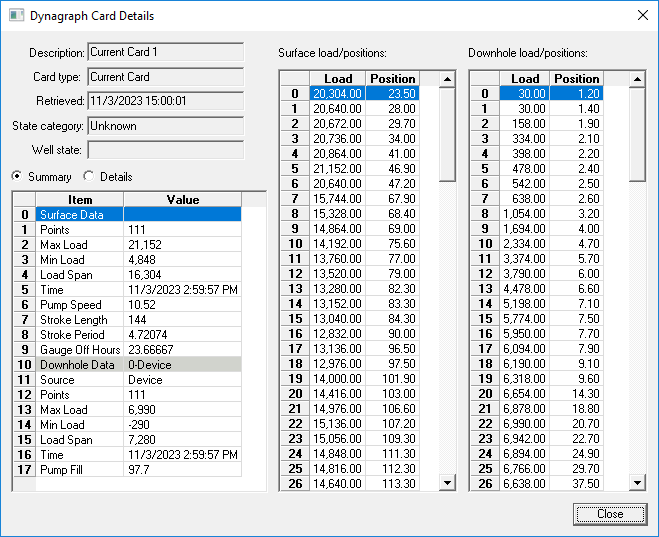
The static fields in the top left corner show general information about the card. Below this is detailed information about the card. These fields are device-specific. The list on the right shows all surface positions with corresponding loads. This list is used to construct the graph. Use the header bar at the top of the list to order the list by point number, load, or position, in ascending or descending order.

